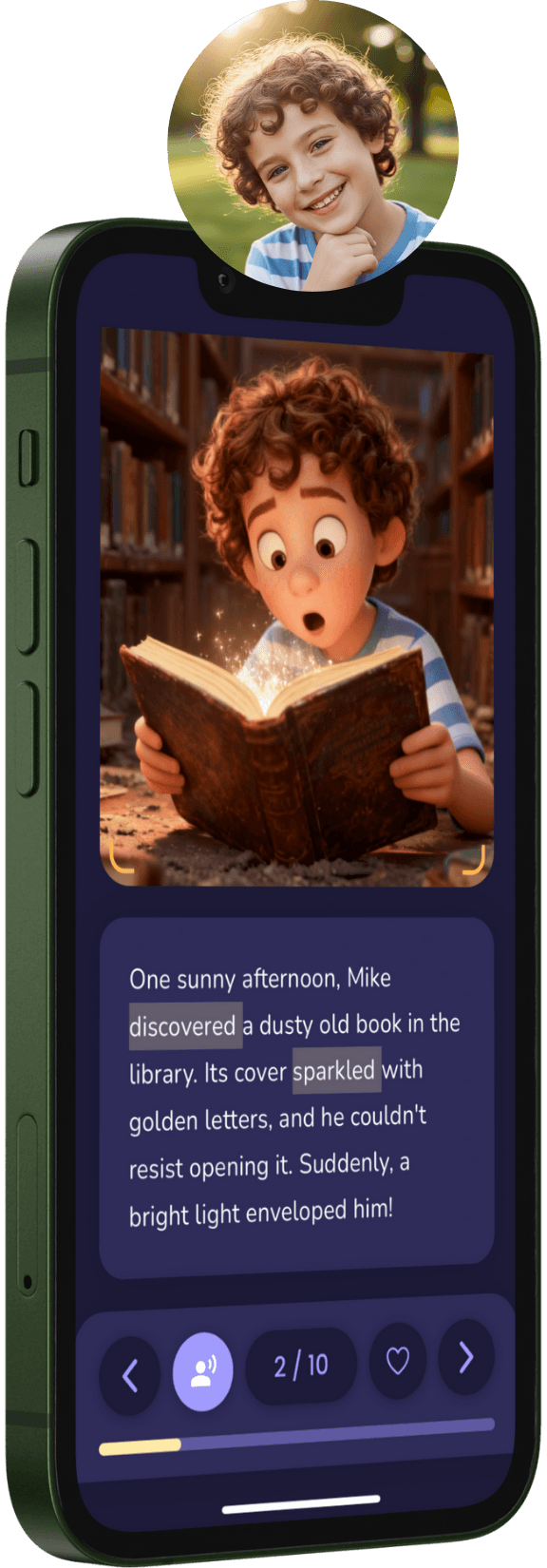
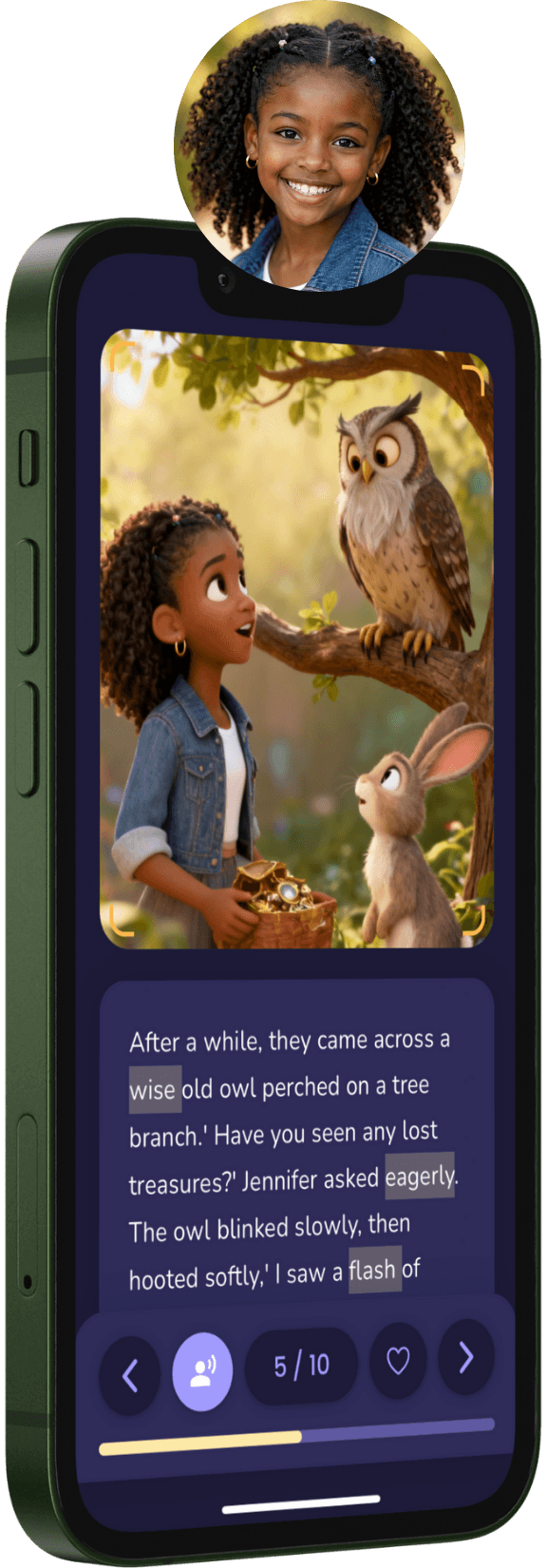
✨ The Ultimate AI Storytelling App

Stories Where Your Child is the Hero!

Create magical, personalized adventures in seconds. Boost vocabulary, spark creativity, and make reading fun.


Download on the App StoreGet it on Google Play
App Screen 1
App Screen 2
Unlock Creativity

Discover Magical Art Styles

From classic storybook illustrations to modern 3D adventures, choose the perfect look for your child's story.


Realistic
Realistic
3D style pixar
3D style pixar
Anime
Anime
Watercolor
Watercolor
Sketch
Sketch
Pixel Art
Pixel Art
Realistic
Realistic
3D style pixar
3D style pixar
Anime
Anime
Watercolor
Watercolor
Sketch
Sketch
Pixel Art
Pixel Art
Features

Why Parents & Kids Love LoreZest

We combine the magic of storytelling with the power of technology to create unforgettable reading experiences.

Personalized Adventures

Your child becomes the star of every story. We use their name, appearance, and interests to craft unique tales.

🎓

Educational Value

Stories are tailored to your child's age and reading level, introducing new vocabulary in a fun, engaging way.

🚀

Limitless Creativity

Choose from various themes like Space, Fantasy, or Animals, and watch as our AI brings them to life.

🎧

Audio Narration

Listen to stories narrated in soothing voices, perfect for bedtime or independent reading practice.

Level Up Their Learning

Make Reading a Rewarding Adventure

Track reading milestones, earn magical badges, and master new vocabulary with our gamified learning path.

📈

Reading Progress

Visual charts track every story read. Watch their reading level grow week by week.

🏆

Earn Badges

From "Bookworm" to "Story Wizard", kids earn shiny badges for their achievements.

🦁
🚀
🌟
🧠

Vocabulary Master

Interactive quizzes and "Word of the Day" challenges to boost their lexicon.

Word of the DayPoints: +50
Serendipity
finding something good without looking for it
Simple Process

How It Works

1

Create a Child Profile

Add your child's name, reading level, favorite narrative voice, and a photo to create their digital avatar.

2

Choose a Story Theme

Select from a wide range of exciting themes and art styles.

3

Generate Story

Our AI writes and illustrates a unique story in seconds.

4

Read & Enjoy

Read together or let the app narrate the story to your child.

Support

Frequently Asked Questions

Find answers to common questions about LoreZest features, subscriptions, and more.

Tap the Home tab, then tap "Create New Story". Select your child's profile, choose a category, art style, and set the story goal. Our AI will generate a personalized story in minutes!
Go to Profile → My Children → Tap the "+" button. Add your child's name, age, photo, and reading level. You can create up to 4 child profiles per account.
Go to Profile → Tap on your child's card → Use the reading level picker to adjust their level. This will customize the story difficulty and vocabulary to match their reading ability.
First, check your internet connection and try again. If the problem persists, try selecting a different story category or art style. If you're still having issues, please contact us with details about what happened.
In the Library tab, tap the three-dot menu (⋮) on any story card and select 'Delete Story'. Confirm the deletion when prompted. Note: This action cannot be undone.
Currently, stories cannot be edited after generation. However, you can create a new story with different settings or use the same category and goal to get a fresh version.
Each story comes with AI-powered audio narration. Tap the play button on any story page to hear the text read aloud. You can pause, skip forward/backward, or adjust playback speed.
We offer multiple art styles including Watercolor, Cartoon, Anime, Pixelart, and Sketch. Each style creates a unique visual experience for your child's story.
Practice mode helps reinforce vocabulary from stories your child has read. It includes spelling challenges, vocabulary quizzes, and word matching games. Progress is tracked and you can see which words your child has mastered.
Practice words are automatically selected from stories your child has read. We focus on age-appropriate vocabulary and words that appeared in recent stories.
Yes! Go to the Progress tab to view reading streaks, completed stories, vocabulary mastery, and earned badges.
Currently, the app supports up to 4 child profiles per account. This helps us maintain a personalized experience for each child and keep the interface simple and organized.
Go to Profile → Account section → Change Password. Enter your current password and your new password twice to confirm.
Go to Profile → Account section → Delete Account. You'll need to type "DELETE" to confirm. Warning: This permanently deletes all data including profiles, stories, and progress.
Yes! Sign in with the same account on any device. Your profiles, stories, and progress will sync automatically.
All payment transactions are processed securely through the Apple App Store and Google Play Store, ensuring the highest level of protection for your information.
Check out the paywall content for the full answer
Go to Profile → Subscription. Choose between monthly or annual plans, then tap "Subscribe". Payment is processed through your Apple App Store or Google Play Store account.
iOS: Settings → [Your Name] → Subscriptions → LoreZest → Cancel. Android: Play Store → Menu → Subscriptions → LoreZest → Cancel. Your premium features remain active until the current billing period ends.
You'll revert to the free plan. Your saved stories, progress, and profiles remain intact, but you'll be limited to 1 new story per month and won't have access to premium features.
Deleting your account does not automatically cancel your subscription. You need to cancel your subscription separately through Apple App Store or Google Play Store. Your premium features will remain active until the current billing period ends.
No, we do not currently offer a free trial. However, our free plan allows you to explore the app and create a limited number of stories each month before deciding to subscribe to premium features.
💌

Still need help?

Our support team is always ready to assist you with any questions or issues.

Contact Support